
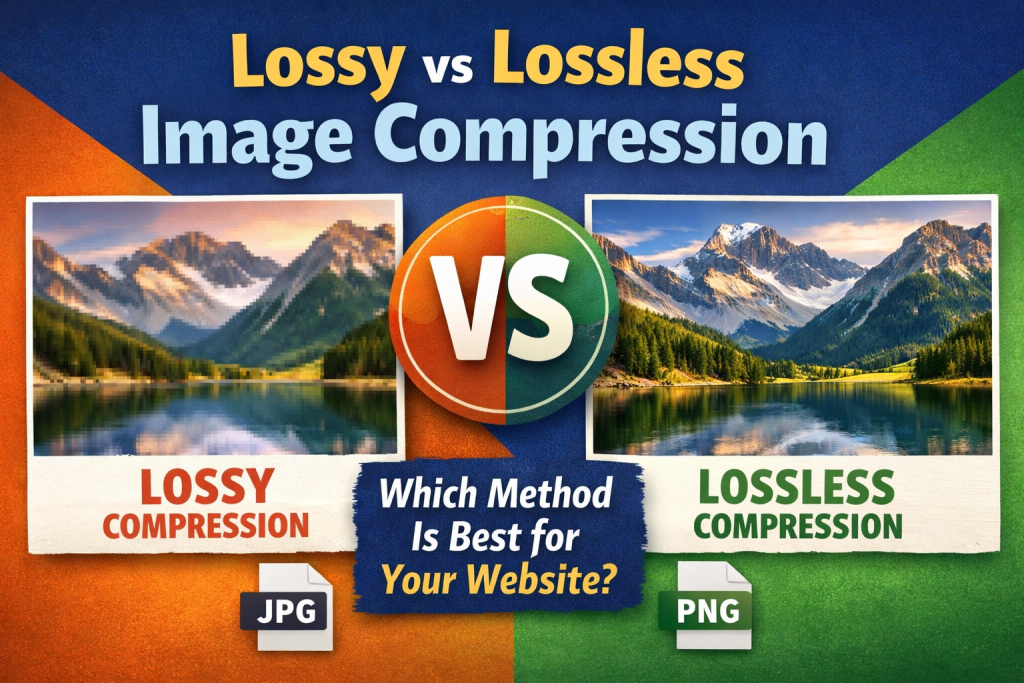
Optimizing images is one of the fastest ways to improve website speed, enhance user experience, and boost SEO rankings. However, many website owners get confused between lossy and lossless image compression. Choosing the wrong type can affect page speed, image quality, and even Core Web Vitals like LCP and CLS ⚡.
In this guide, we’ll explain the differences between lossy and lossless image compression, when to use each, and how to easily compress your images online for faster website performance.
What Is Image Compression? 🖼️
Image compression is the process of reducing an image’s file size while maintaining acceptable visual quality. Smaller images load faster, use less bandwidth, and improve overall website performance, which is essential for SEO and user experience 🌐.
There are two main types of image compression:
Lossy Compression
- Reduces file size by removing unnecessary image data
- Slight quality loss, often imperceptible
- Ideal for web photos, banners, and large images
Lossless Compression
- Reduces file size without removing any image data
- Maintains 100% image quality
- Ideal for logos, icons, charts, and graphics that require exact precision
Why Image Compression Matters for Your Website ⏱️
Uncompressed images can slow down a website and negatively impact SEO. Large files can lead to:
- Slower page loading times
- Poor mobile performance
- Increased bounce rates 📉
- Lower Google rankings 🔍
Optimizing images with the right compression method ensures faster load times, better user engagement, and improved Core Web Vitals.
Differences Between Lossy and Lossless Compression ⚖️
| Feature | Lossy Compression | Lossless Compression |
|---|---|---|
| File Size Reduction | Very High | Moderate |
| Image Quality | Slight Loss | No Loss |
| Best Use Case | Photos, web graphics | Logos, icons, charts |
| Editing After Compression | Not ideal | Fully editable |
| Page Load Impact | Very High | Moderate |
When to Use Lossy Compression 🎯
Lossy compression is ideal for:
- Hero images and banners
- Blog post photos
- Product images for eCommerce
- Any large images where small quality loss is acceptable
It significantly reduces file size, improves page load speed, and enhances metrics like Largest Contentful Paint (LCP) and Cumulative Layout Shift (CLS).
When to Use Lossless Compression 🛡️
Lossless compression works best for:
- Logos and brand graphics
- Icons and diagrams
- Professional images that need perfect clarity
- Images that will be edited multiple times
It keeps the original image intact while still reducing file size moderately, ensuring quality is never compromised.
How to Compress Images Online Easily 🔗
You don’t need advanced software to compress images. Using an online tool, you can reduce file size quickly without losing quality:
👉 https://reduceimageresolution.com
Benefits of Online Compression ✅
- Free to use
- Works on mobile and desktop
- Fast and secure
- Maintains image quality
- Beginner-friendly
- Improves website speed and SEO
Step-by-Step Guide to Compress Images 🧭
- Visit 👉 https://reduceimageresolution.com
- Upload your image
- Choose compression type (lossy or lossless)
- Click “Compress”
- Download the optimized image
Your images are now ready for your website, helping it load faster and perform better 🚀.
SEO Benefits of Choosing the Right Compression 📈
Selecting the correct compression method improves:
- Page loading speed – Smaller files load faster
- Mobile performance – Faster pages for all users 📱
- Core Web Vitals – Better LCP & CLS
- User experience – Smooth, visually stable websites
- Search rankings – Google favors faster, optimized websites
Common Mistakes to Avoid ❌
- Uploading uncompressed images directly from cameras or phones
- Over-compressing and degrading image quality
- Using lossless compression for large photos unnecessarily
- Ignoring modern formats like WebP or AVIF
- Not resizing images before compression
Avoiding these mistakes ensures the right balance between image quality and page speed.
Image Compression for Different Website Types 🌍
Blogs
Use lossy compression for featured images and blog post photos to load faster.
eCommerce Stores
Lossy compression works for product photos, while lossless compression is best for logos or icons 🛒.
Business Websites
Lossless compression for logos and graphics, lossy for banners and promotional images.
Portfolio Websites
High-quality portfolio images may need lossless compression to retain clarity while still optimizing speed.
Final Thoughts 🌟
Choosing between lossy and lossless image compression is crucial for website performance. Lossy is perfect for faster loading photos and graphics, while lossless preserves logos, icons, and professional images without any quality loss.
For an easy, free, and beginner-friendly solution to compress your images, visit 👉 https://reduceimageresolution.com. Optimized images help your website load faster, improve SEO, and provide a smooth experience for your visitors 😊.