
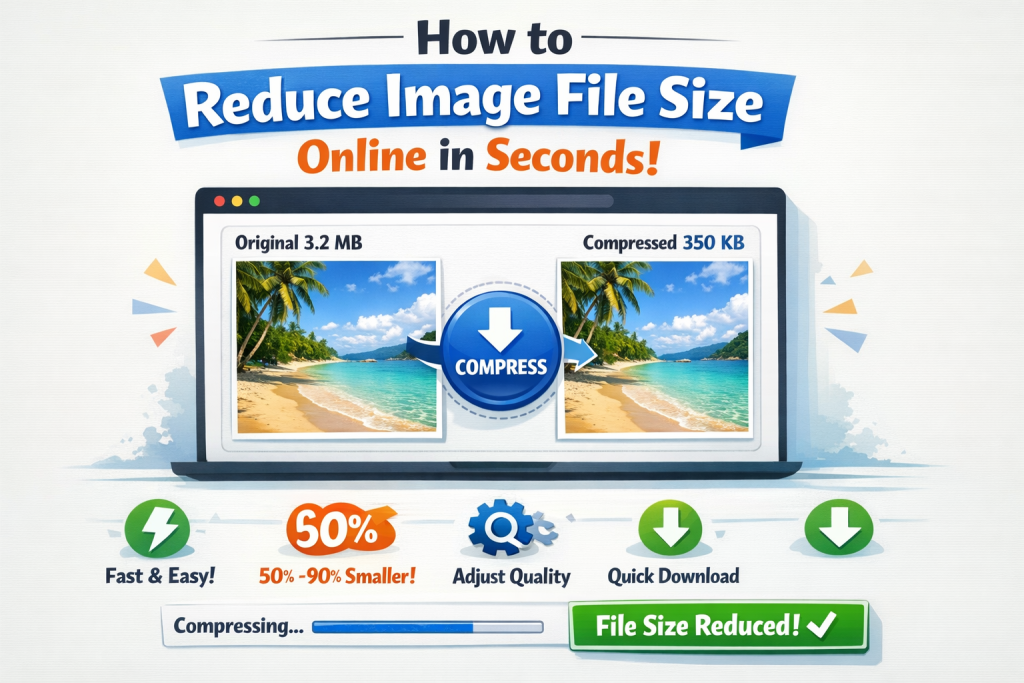
In today’s digital world, speed matters more than ever. Whether you are uploading images to a website, sharing photos on social media, sending files by email, or managing an online business, large image file sizes can slow everything down. Heavy images increase page load time, consume more storage, and negatively affect SEO rankings.
The good news? You can reduce image file size online in seconds without installing any software or losing image quality. Thanks to modern browser-based tools like ReduceImageResolution.com, image optimization is now fast, free, and extremely simple 😊.
In this complete guide, you’ll learn why image compression matters, how to reduce image size instantly, and why ReduceImageResolution.com is the best choice for quick and secure image optimization.
Why Reducing Image File Size Is Important 🚀
Many people upload images directly from cameras or smartphones without optimization. These images often contain unnecessary data, making them much larger than needed.
🔹 Faster Website Loading
Large images are one of the main reasons websites load slowly. When you reduce image file size, pages load faster, improving user experience and reducing bounce rates.
🔹 Better SEO Rankings 📈
Search engines like Google favor fast-loading websites. Optimized images improve Core Web Vitals, helping your site rank higher in search results.
🔹 Save Storage Space 💾
Smaller image files take up less disk and cloud storage, which is especially useful for bloggers, businesses, and content creators.
🔹 Easier Sharing 📤
Compressed images upload faster on social media, send quicker via email, and work smoothly on messaging apps.
Reducing image file size isn’t just a technical step—it’s a smart digital habit.
The Fastest Way to Reduce Image File Size Online ⏱️
If you want instant results, online image compression tools are the best option. Among them, ReduceImageResolution.com stands out for its speed, simplicity, and privacy.
🌐 What Is ReduceImageResolution.com?
ReduceImageResolution.com is a free, browser-based image optimization tool that allows you to compress and resize images in seconds. You don’t need to create an account, download software, or upload files to a server.
✅ Everything works directly in your browser
✅ 100% secure and private
✅ No watermarks
✅ No hidden limits
This makes it perfect for beginners and professionals alike.
How to Reduce Image File Size Online in Seconds (Step-by-Step) 🧩
Using ReduceImageResolution.com is incredibly easy. Here’s how you can do it in just a few clicks:
Step 1: Upload Your Image 📂
Visit ReduceImageResolution.com and upload your image. You can also drag and drop your file directly onto the page.
Step 2: Choose Compression Settings ⚙️
Select how much you want to reduce the image size. You can adjust:
-
Image resolution
-
Compression level
-
Output format (JPG, PNG, WEBP, etc.)
Step 3: Resize If Needed 📐
If your image is larger than required, you can reduce its width and height while maintaining the original aspect ratio.
Step 4: Download Instantly ⬇️
Click the compress button and download your optimized image in seconds.
That’s it—no waiting, no signup, no technical skills required 😊.
Supported Image Formats 🖼️
ReduceImageResolution.com supports all commonly used image formats, including:
-
JPG / JPEG 📸
-
PNG 🎨
-
WEBP ⚡
-
BMP
-
TIFF
This means you can optimize images for websites, blogs, e-commerce stores, social media, and documents without any issues.
Who Should Use ReduceImageResolution.com? 👥
This tool is useful for a wide range of users:
🧑💻 Bloggers & Website Owners
Faster image loading improves SEO and keeps visitors engaged longer.
🛒 E-Commerce Sellers
Smaller product images mean quicker page loads and better conversion rates.
📱 Social Media Creators
Optimized images upload faster and maintain quality across platforms.
🎓 Students & Professionals
Perfect for presentations, assignments, resumes, and project submissions.
👨👩👧 Everyday Users
Share photos easily on WhatsApp, email, and cloud storage without size issues.
Does Image Compression Reduce Quality? 🤔
One of the biggest concerns people have is image quality loss. With ReduceImageResolution.com, this is handled smartly.
✔️ Advanced compression keeps images sharp
✔️ You control the quality level
✔️ Ideal balance between size and clarity
In most cases, the visual difference is hardly noticeable, but the file size reduction is significant.
SEO Benefits of Reducing Image File Size 📊
Optimizing images isn’t just about speed—it directly impacts SEO:
🔹 Faster Page Speed
Google considers page speed as a ranking factor.
🔹 Better Mobile Performance 📱
Compressed images load quickly even on slow mobile networks.
🔹 Improved User Experience
Visitors stay longer on fast-loading pages.
🔹 Lower Bounce Rates
Faster sites keep users engaged.
Using ReduceImageResolution.com regularly helps build a search-engine-friendly website.
Best Practices for Image Size Reduction ✅
To get the best results, follow these tips:
✔️ Resize images before uploading to your site
✔️ Use WEBP or optimized JPG formats for the web
✔️ Avoid uploading original camera-size images
✔️ Keep image file sizes under 300–500 KB for websites
✔️ Always use descriptive image names and alt text
Combining these practices with ReduceImageResolution.com gives you maximum performance benefits.
Why Choose ReduceImageResolution.com Over Other Tools? ⭐
There are many image compressors online, but most come with limits or privacy concerns. ReduceImageResolution.com offers:
✔️ No registration required
✔️ No watermarks
✔️ Local browser processing (no uploads) 🔒
✔️ Fast compression in seconds
✔️ Beginner-friendly interface
It’s a reliable, safe, and efficient solution for anyone who wants quick image optimization.
Final Thoughts 🎯
If you’re looking for the fastest and easiest way to reduce image file size online, ReduceImageResolution.com is the perfect solution. In just seconds, you can compress images, improve website speed, save storage, and boost SEO—all without sacrificing quality.
Whether you’re a blogger, business owner, student, or casual user, optimizing images is no longer optional—it’s essential.
👉 Try ReduceImageResolution.com today and experience instant image compression made simple ⚡🖼️