
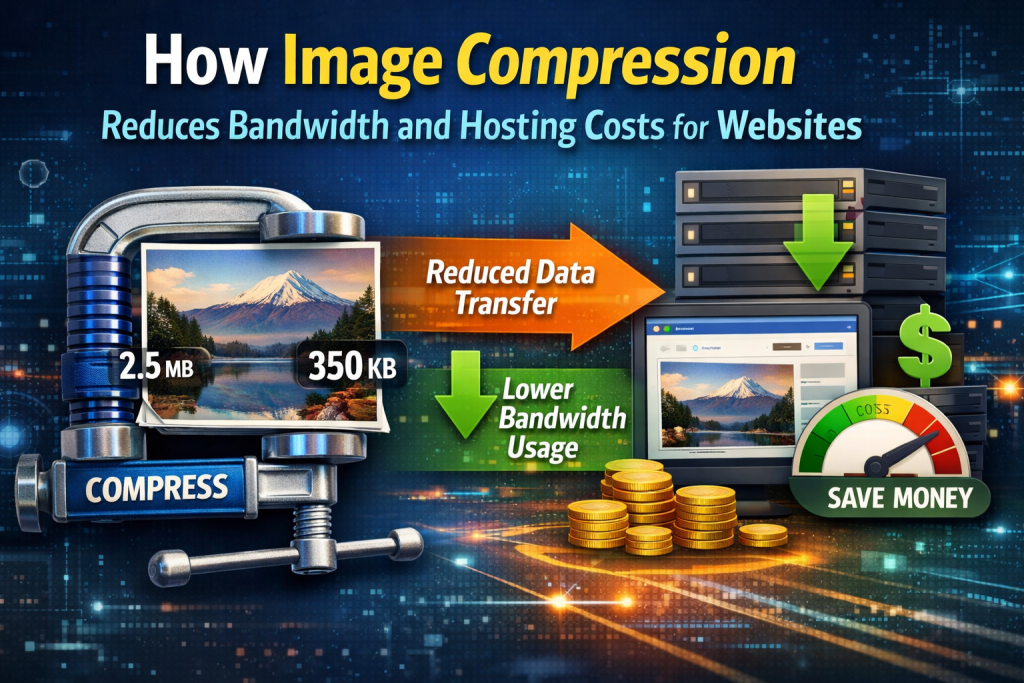
Running a website isn’t just about creating great content or attractive designs—it’s also about managing performance and costs. One often overlooked factor that directly affects both bandwidth usage and hosting expenses is image size. 🖼️
Images are essential for engaging users, but uncompressed images can consume large amounts of data, slow down websites, and increase hosting bills. This is where image compression becomes a powerful and cost-saving solution.
In this article, we’ll explain how image compression works, how it reduces bandwidth consumption, and why it can significantly lower your website’s hosting costs—without compromising image quality.
🖼️ What Is Image Compression?
Image compression is the process of reducing the file size of an image by removing unnecessary data while maintaining acceptable visual quality.
Compressed images:
- Load faster
- Use less storage
- Require less data transfer
This makes image compression a key technique for improving website efficiency and reducing operational costs.
🌐 Understanding Bandwidth and Hosting Costs
Before diving into the benefits of image compression, it’s important to understand two key concepts:
📡 Bandwidth
Bandwidth refers to the amount of data transferred between your website server and visitors’ devices. Every time someone loads a page, images are downloaded, consuming bandwidth.
More visitors + larger images = higher bandwidth usage.
🏢 Hosting Costs
Many hosting providers charge based on:
- Monthly bandwidth usage
- Storage limits
- Server resources
Websites with heavy images often exceed these limits, leading to higher hosting fees or forced upgrades.
⚡ How Image Compression Reduces Bandwidth Usage
1. Smaller File Sizes Mean Less Data Transfer
Large images contain more data. When images are compressed, their file size is reduced, which means less data is transferred every time a page loads.
For example:
- Original image size: 2 MB
- Compressed image size: 300 KB
That’s a massive reduction in data usage per visitor. 📉
Multiply this by hundreds or thousands of visitors, and the bandwidth savings become significant.
2. Faster Image Delivery
Compressed images are delivered faster from the server to the user’s browser. Faster delivery means:
- Less server strain
- Shorter data transfer sessions
- Improved overall efficiency
This reduces the load on your hosting infrastructure and helps manage bandwidth more effectively.
3. Improved Caching Efficiency
Smaller images are easier to cache by browsers and content delivery networks (CDNs).
Better caching:
- Reduces repeated data transfers
- Minimizes bandwidth usage for returning visitors
- Improves page load speed 🚀
This further lowers the total amount of data your server needs to send.
💰 How Image Compression Lowers Hosting Costs
1. Reduced Bandwidth Bills
Many hosting plans have bandwidth limits. If your website exceeds those limits, you may:
- Pay extra fees
- Experience throttled performance
- Be forced to upgrade plans
By compressing images, your site uses less bandwidth, helping you stay within limits and avoid unnecessary expenses.
2. Lower Storage Requirements
Compressed images take up less disk space on your server.
Benefits include:
- More room for content
- Reduced need for storage upgrades
- Better server efficiency
This is especially valuable for image-heavy websites such as blogs, portfolios, and eCommerce stores. 🛒
3. Smaller Server Resource Consumption
Large files require more CPU power and memory to process and deliver.
Compressed images:
- Use fewer server resources
- Reduce server workload
- Improve stability during traffic spikes
This allows you to operate efficiently on lower-cost hosting plans.
📱 Mobile Traffic and Cost Savings
Mobile users often browse on slower networks and limited data plans. Large images increase data usage and load time, leading to a poor experience.
Image compression:
- Reduces mobile data consumption
- Improves load speed on cellular networks
- Enhances accessibility for global users 🌍
From a hosting perspective, serving smaller files to mobile users further decreases total bandwidth usage.
🔍 SEO Benefits That Indirectly Reduce Costs
While image compression directly saves bandwidth and hosting costs, it also improves SEO—leading to indirect financial benefits.
🚀 Faster Websites Rank Better
Search engines favor fast-loading websites. Compressed images help improve:
- Page speed
- Core Web Vitals
- Mobile performance
Better rankings mean more organic traffic without spending extra money on ads.
📈 Lower Bounce Rates
Fast-loading images keep users engaged. Lower bounce rates mean:
- Better conversion rates
- Higher return on investment (ROI)
This makes image compression a smart long-term cost-saving strategy.
🧠 Types of Image Compression and Their Role in Cost Reduction
🔹 Lossy Compression
- Removes non-essential image data
- Produces much smaller file sizes
- Ideal for photos and web content
Lossy compression offers the biggest bandwidth savings while maintaining acceptable quality.
🔹 Lossless Compression
- Preserves all image data
- Slightly larger file sizes
- Best for logos and graphics
Using the right compression type ensures optimal cost savings without visual issues.
🛠️ Tools That Make Image Compression Easy
You don’t need advanced technical skills to compress images.
Popular options include:
- Online tools (TinyPNG, Compressor.io)
- CMS plugins (Smush, ShortPixel, Imagify)
- Desktop software (ImageOptim, Photoshop)
These tools automate compression, ensuring consistent savings across your website.
📊 Real-World Example of Cost Savings
Imagine a website with:
- 50 images per page
- Average image size: 1 MB
- 10,000 monthly visitors
Without compression:
- Total data usage = massive bandwidth consumption
With compression reducing images to 200 KB:
- Bandwidth usage drops by up to 80% 😮
This can save hundreds of dollars annually on hosting and bandwidth fees.
❌ Common Mistakes That Increase Bandwidth Costs
🚫 Uploading uncompressed images
🚫 Using incorrect image formats
🚫 Ignoring mobile optimization
🚫 Serving desktop-sized images to mobile users
🚫 Skipping regular performance checks
Avoiding these mistakes ensures consistent cost control.
✅ Best Practices for Maximizing Cost Savings
✔ Compress images before uploading
✔ Use modern formats like WebP
✔ Resize images correctly
✔ Enable browser caching
✔ Use a CDN for global delivery
These practices work together to minimize bandwidth usage and hosting expenses.
🎯 Final Thoughts
Image compression is one of the simplest and most effective ways to reduce bandwidth consumption and hosting costs. While images are essential for visual appeal, they should never be a financial burden on your website. 💡
By compressing images properly, you can:
- Lower data transfer usage
- Reduce hosting expenses
- Improve website speed
- Enhance user experience
- Strengthen SEO performance
In the long run, image compression isn’t just a technical improvement—it’s a smart business decision. A faster, lighter website saves money and delivers better results.