
Choosing the right image format for social media is more important than most people realize. You might upload a high-quality image, but once it’s posted on Facebook, Instagram, or YouTube, it suddenly looks blurry or over-compressed 😕
Why does this happen?
Because social media platforms compress images differently depending on the file format.
In this guide, we’ll break down JPEG vs PNG vs WEBP, explain which one works best for social media, and show you how to optimize images using https://reduceimageresolution.com without losing quality 🚀.
Why Image Format Matters on Social Media 🤔
Social platforms are designed for speed. To keep feeds loading fast, they compress images aggressively.
If you upload:
- The wrong format ❌
- Oversized images ❌
- Unoptimized files ❌
…the platform will compress them harshly, reducing quality.
Choosing the right format + correct size gives you control before Facebook, Instagram, or YouTube step in.
Understanding Image Formats in Simple Terms 🧠
Before comparing them, let’s quickly understand what each format is.
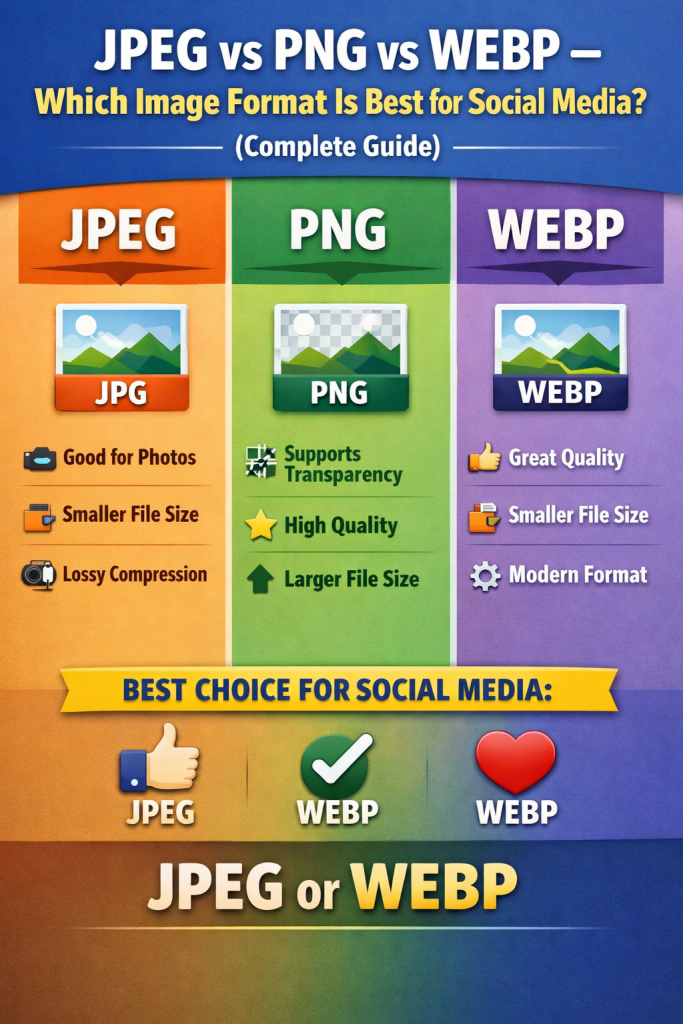
JPEG (JPG)
- Lossy compression
- Smaller file size
- Best for photographs
PNG
- Lossless compression
- Larger file size
- Best for graphics and text
WEBP
- Modern format by Google
- Smaller size with high quality
- Supported by most modern browsers
Now let’s break them down one by one 👇.
JPEG – Best for Photos on Social Media 📷
JPEG is the most commonly used image format on social platforms.
Pros of JPEG
✅ Small file size
✅ Loads fast
✅ Ideal for photos and selfies
✅ Supported everywhere
Cons of JPEG
❌ Slight quality loss
❌ Not ideal for transparent backgrounds
Best Use Cases
- Facebook posts
- Instagram feed photos
- YouTube thumbnails
💡 Tip: Compress JPEG images using https://reduceimageresolution.com to reduce file size while keeping sharpness.
PNG – Best for Text, Logos & Graphics 📝
PNG is a lossless format, meaning it keeps all image data.
Pros of PNG
✅ Sharp text and edges
✅ Supports transparency
✅ No quality loss
Cons of PNG
❌ Larger file size
❌ Slower upload times
Best Use Cases
- Instagram quote posts
- Facebook banners
- Logos and icons
- YouTube channel art
💡 Tip: Large PNG files should always be resized using https://reduceimageresolution.com before uploading.
WEBP – Best Modern Format for Performance 🚀
WEBP is a newer format that combines the best of JPEG and PNG.
Pros of WEBP
✅ Very small file size
✅ Excellent quality
✅ Supports transparency
✅ Ideal for fast loading
Cons of WEBP
❌ Limited support on some older tools
❌ Not always accepted by all platforms
Best Use Cases
- Websites
- Blog images
- Some social media previews
💡 Some social platforms convert WEBP to JPEG internally, so always test before uploading.
JPEG vs PNG vs WEBP – Quick Comparison 📊
| Format | Quality | File Size | Best For |
|---|---|---|---|
| JPEG | High | Small | Photos, thumbnails |
| PNG | Very High | Large | Text, logos |
| WEBP | Excellent | Very Small | Web performance |
Best Image Format for Each Social Platform 📱
✔️ Best: JPEG
✔️ PNG for text-heavy graphics
✔️ Avoid very large files
✔️ Best: JPEG
✔️ PNG for quotes & infographics
✔️ Keep size under 1 MB
YouTube
✔️ Thumbnails: JPEG
✔️ Channel banners: PNG
✔️ Max thumbnail size: 2 MB
How to Optimize Any Image Format for Social Media 🛠️
No matter which format you choose, optimization is key.
Steps to Optimize
1️⃣ Upload image to https://reduceimageresolution.com
2️⃣ Choose social-media-friendly resolution
3️⃣ Reduce file size without losing quality
4️⃣ Download and upload
This prevents platforms from over-compressing your images 🔥.
Common Image Format Mistakes ❌
Avoid these mistakes to protect image quality:
🚫 Uploading raw camera images
🚫 Using PNG for photos
🚫 Over-compressing JPEG files
🚫 Uploading unoptimized WEBP images
🚫 Ignoring platform size guidelines
Why ReduceImageResolution.com Is the Best Tool ❤️
https://reduceimageresolution.com helps you:
✔️ Compress JPEG, PNG, and WEBP
✔️ Reduce resolution without distortion
✔️ Maintain clarity and sharpness
✔️ Work fast on any device
✔️ Avoid software downloads
Whether you’re a creator, business owner, or marketer, it simplifies image optimization ✨.
Final Verdict: Which Format Is Best? 🎯
Here’s the simple answer:
👉 Use JPEG for most social media photos
👉 Use PNG for text, logos, and banners
👉 Use WEBP for websites and performance-focused use cases
And always optimize images before uploading using https://reduceimageresolution.com to avoid quality loss 🚀.
Final Thoughts 🌟
Image format choice can make or break your social media visuals. The right format, combined with proper compression, ensures:
✔️ Sharp images
✔️ Faster uploads
✔️ Better engagement
✔️ Professional appearance
Start optimizing your JPEG, PNG, and WEBP images today with https://reduceimageresolution.com and take full control of your social media visuals 📸🔥.